
Features
Sync. Explore. Backup. Maintain.
Metadata synchronization
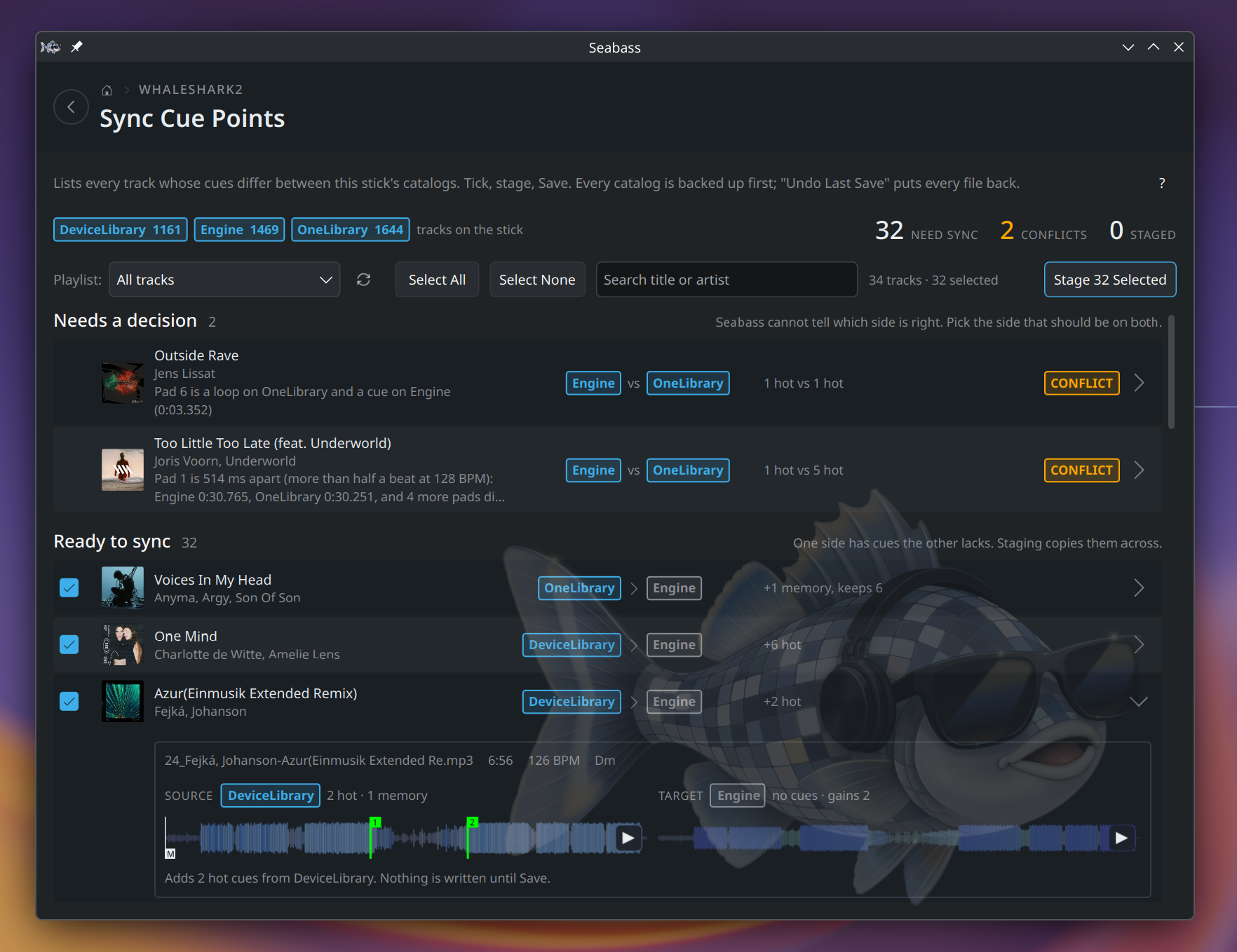
The whole point of the toolbox. Set a hot cue on the Engine side while testing on an SC5000, and Seabass carries it back into the Rekordbox copy of the same stick, and the other way round. Hot cues, memory cues and loops all travel.
Tracks are matched by file path first, the most reliable signal there is on a single stick, falling back to title/artist and duration when one side's row has lost its path. Where both sides carry different cues for the same track, Seabass flags the conflict and asks you rather than picking by timestamp: Engine moves a track's edit time whenever anything about it changes, so "newer" can't tell you whose cues you meant to keep.
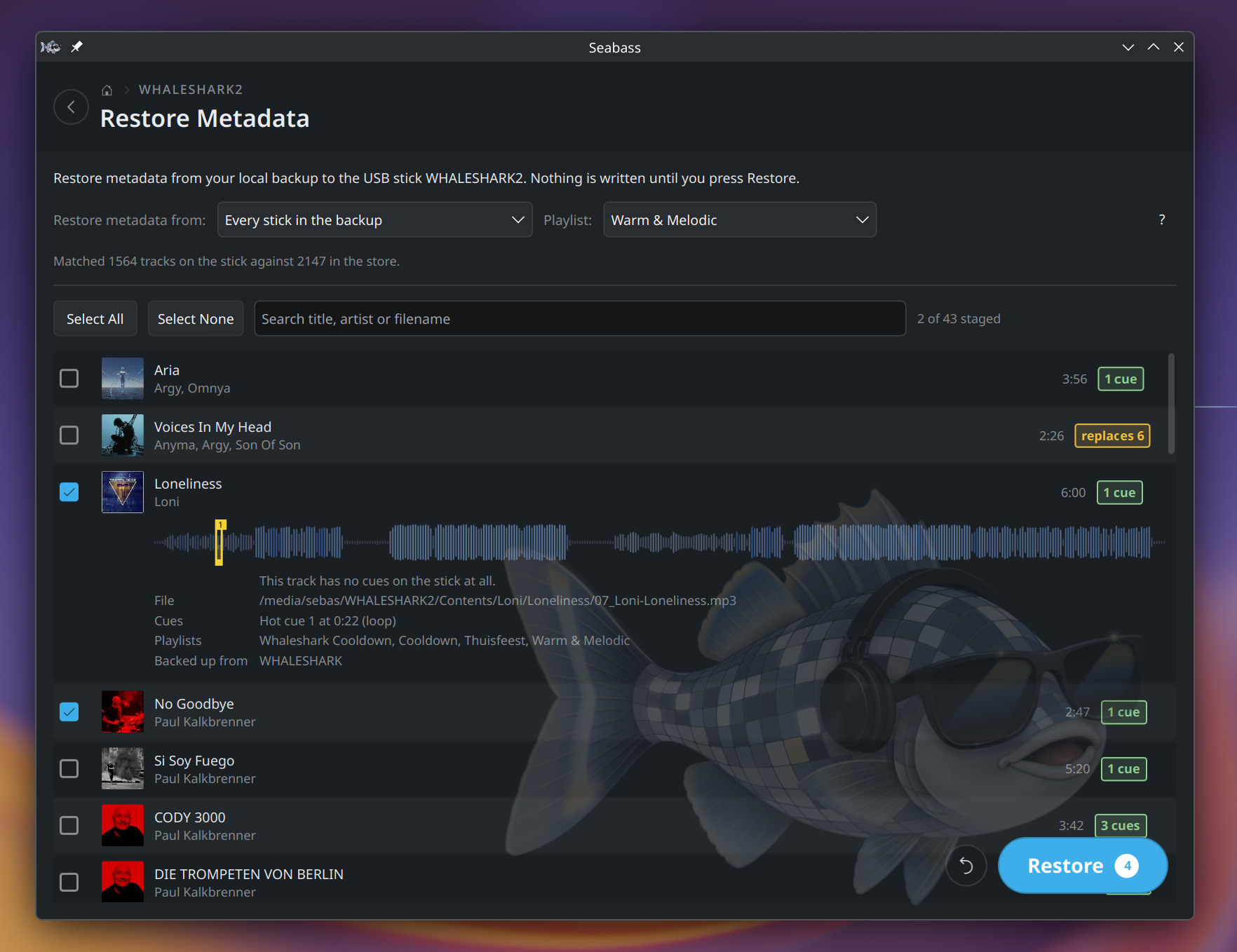
Your metadata can also live on your computer, not only on the stick. Back up the cues, loops, ratings and comments to the local disk, and restore them later: for a single track, for a playlist, or for the whole library. A stick that was wiped, reformatted or re-exported without its cues gets them back, and so does one track whose cues you overwrote by accident. More in Backups.
Ratings, comments and play counts aren't reconciled across catalogs yet. They are captured by metadata backup and restore, and they're carried across when duplicate copies of a track get merged.
Backups
Three layers, because a stick can fail in three different ways:
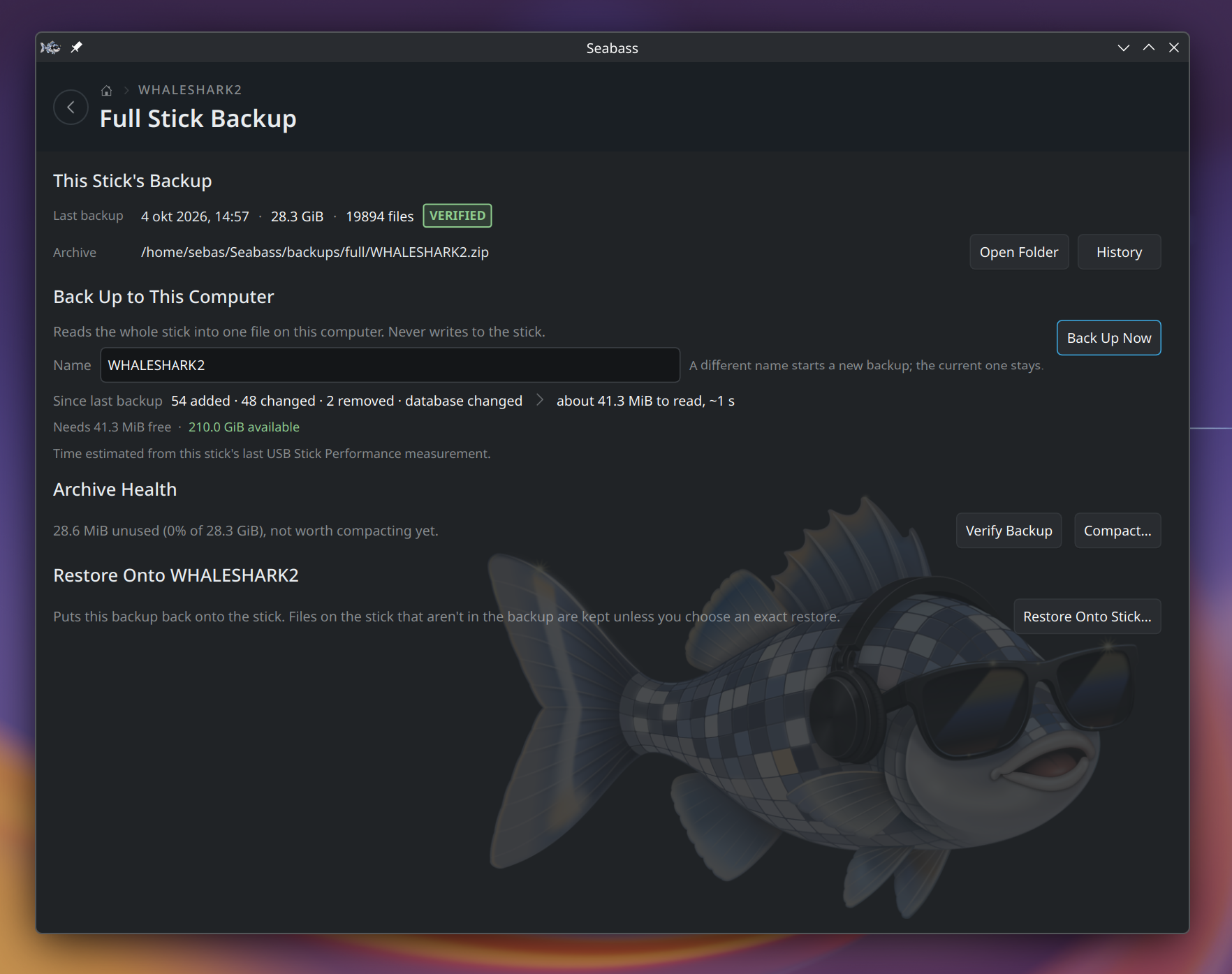
- Full stick backup. A complete copy of the stick, compressed, on this computer. Restore any of them onto any drive, including an empty one you're setting up as a spare.
- Metadata backup. Cues and loops, ratings, comments, play counts and playlist membership, kept on the computer and put back on tracks that have lost them. Small enough to keep a long history of.
- Automatic backups. Every write Seabass makes is preceded by a backup of what it's about to touch, listed afterwards with what it covered and a Restore button next to it.
There's also Create Backup USB Stick: clone a prepped stick onto a second one, or update the copy you already made, so the spare in your bag matches the one in the player.
Automatic backups reduce risk, they don't eliminate it. Keep your own copy of anything you can't afford to lose. See the before-you-start warning.
Explore your library
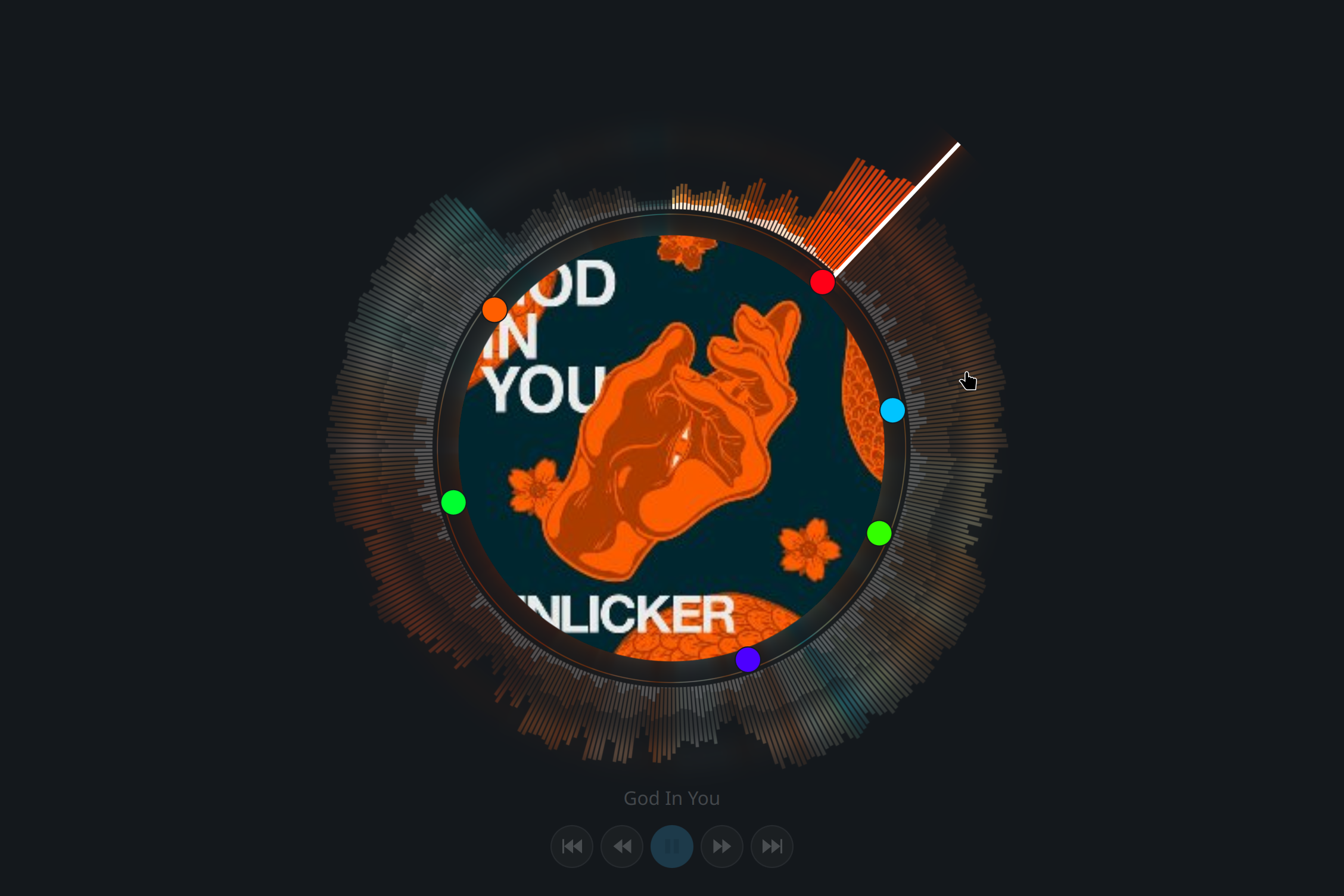
Browse Library shows whichever catalogs are actually on the stick, side by side: tracks, playlists, BPM and Camelot-coloured key badges, and playback with a real waveform and the track's hot cues drawn on it. Click the waveform to jump to that point, and check that the cue you set last week lands where you think it does.
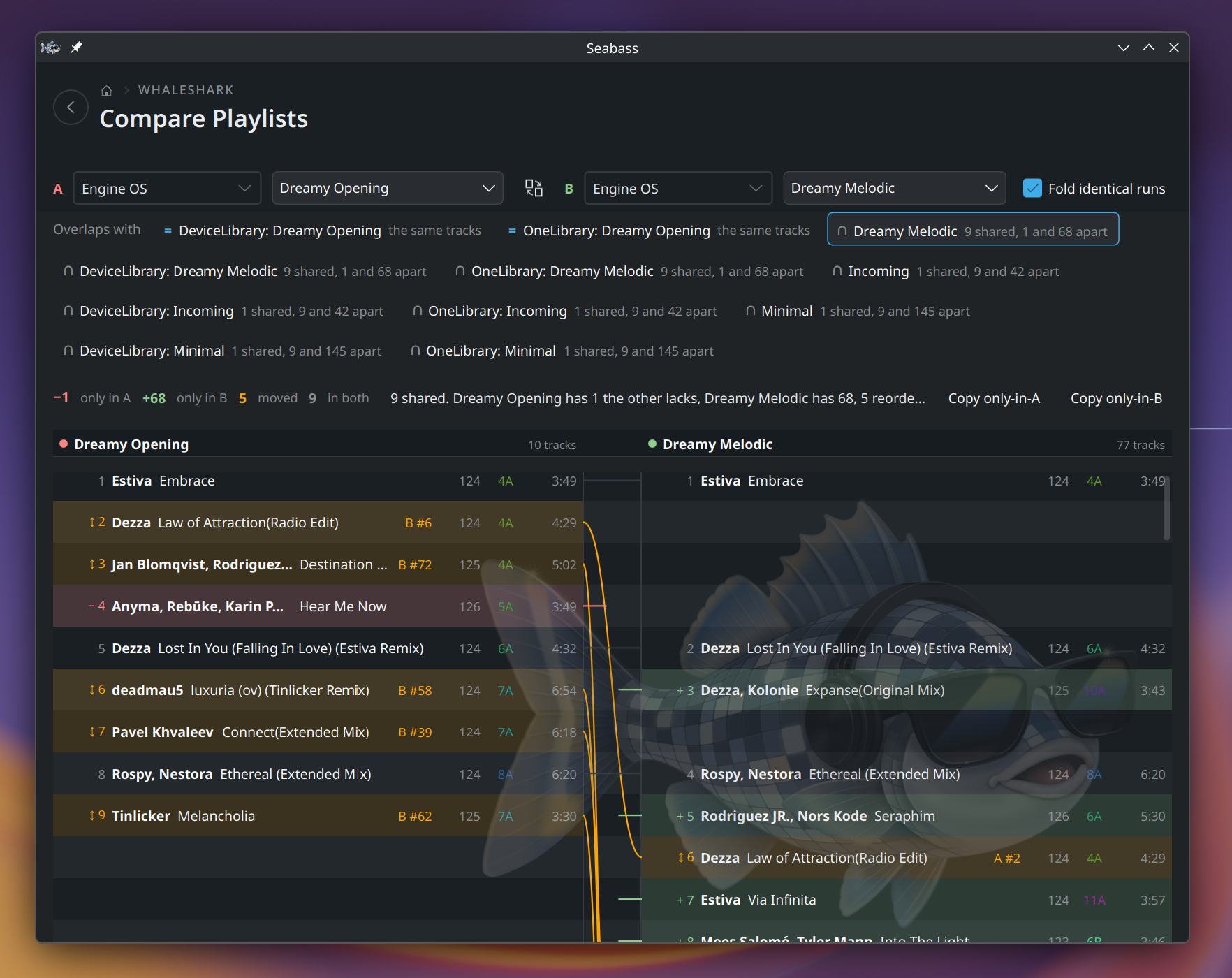
Compare Playlists puts two playlists side by side, the way a code diff does: tracks only in one are marked, tracks that moved are shown on both sides, and long identical stretches fold away. It also lists the playlists that overlap with the one you picked, so the old copy of a set you kept extending is easy to find. Seabass only reads here; the tracks unique to either side can be copied as a text list. It is new and not in a released build yet.
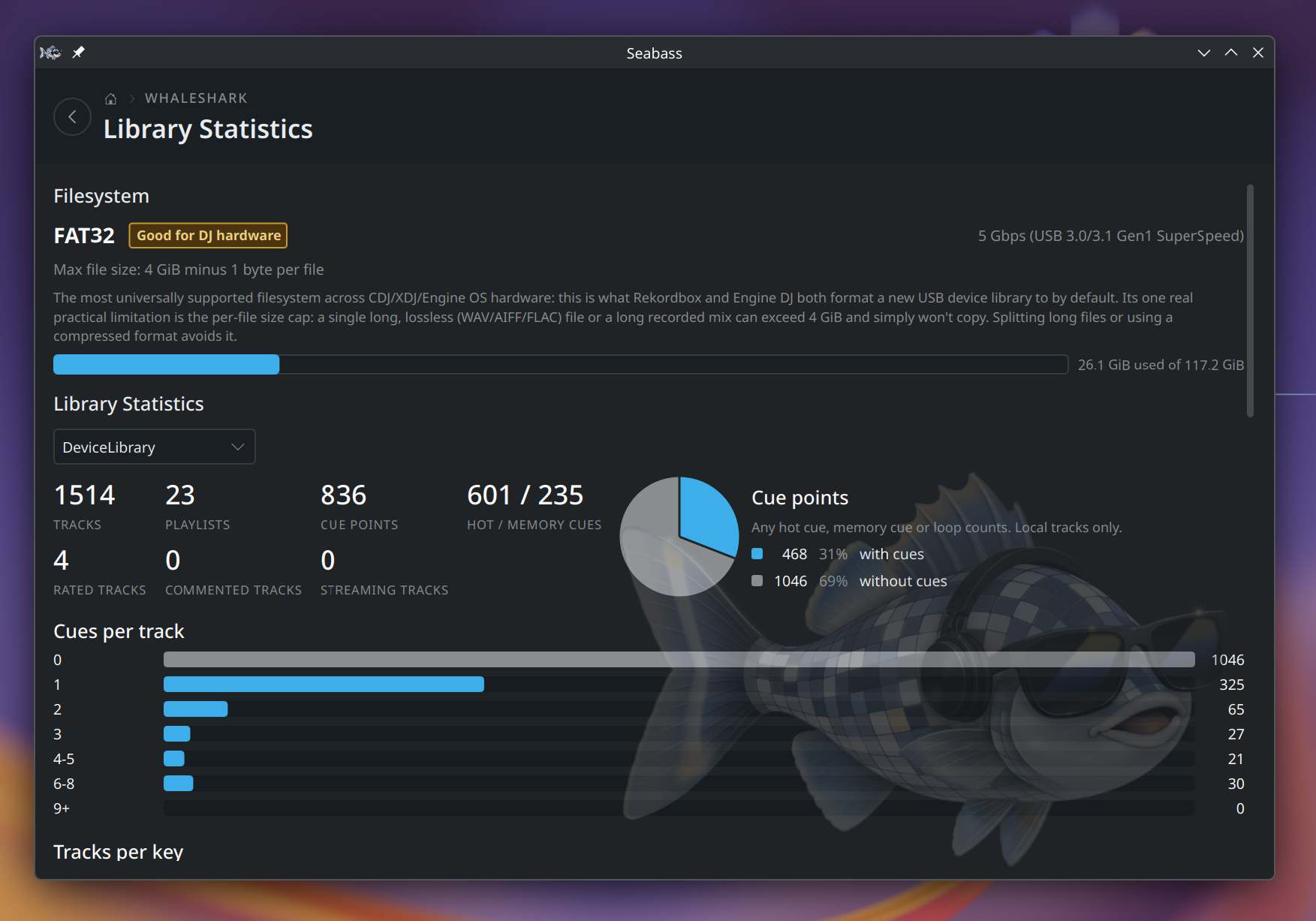
Library Statistics covers the stick itself, what's on it and where the space went; Device Profile shows the Rekordbox player settings the stick is carrying.
Engine can link a track to a streaming service instead of a local file. Seabass shows those, badged with the service name, but never plays, merges, syncs or cleans them up; it only ever touches files actually present on the stick.

Housekeeping
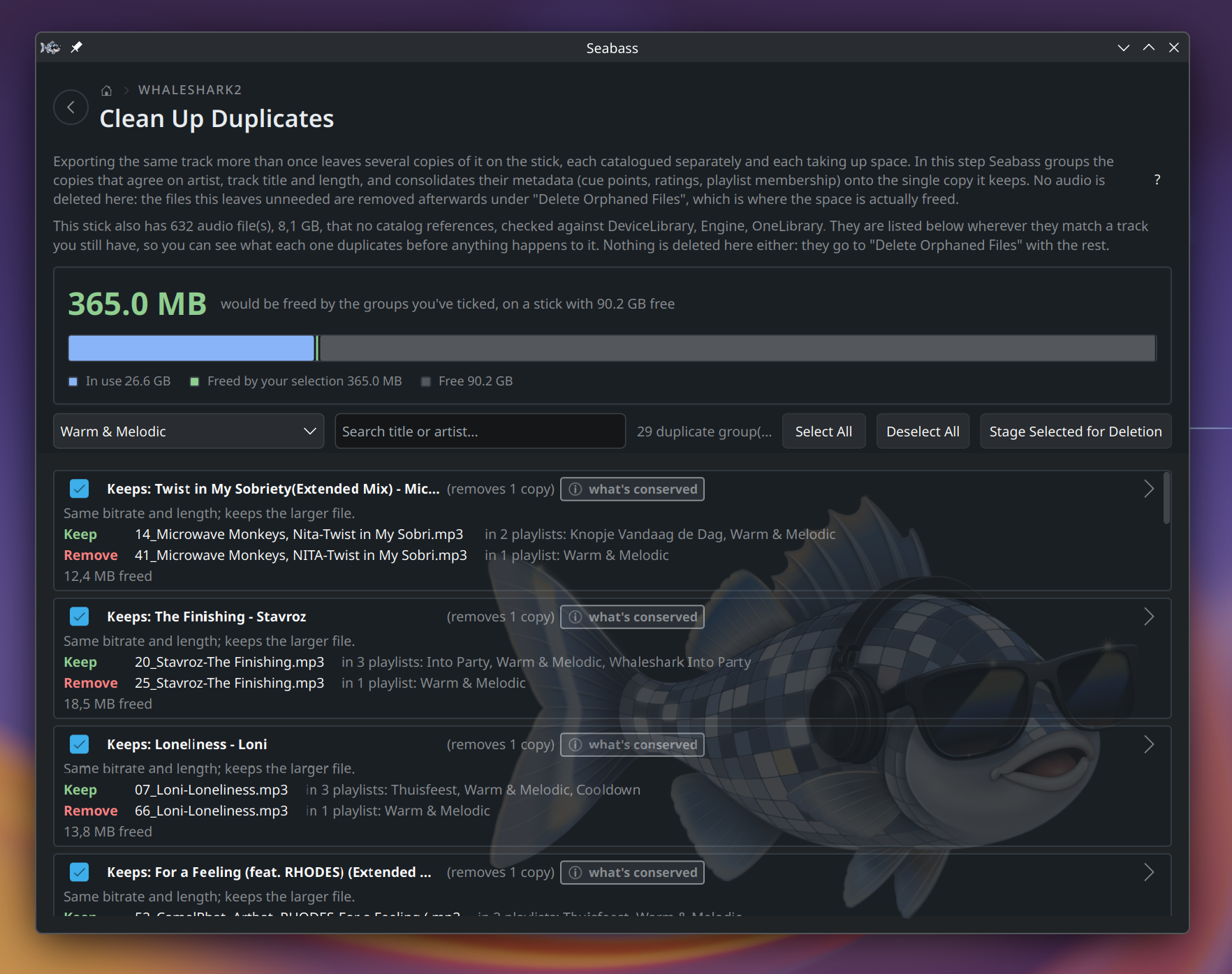
Deduplication. The same track gets imported twice: once from a folder, once from a streaming download, once with slightly different tags. Seabass finds the groups and consolidates them, and the survivor keeps everything: the union of every copy's cues, the play counts added up, and any BPM, key or cover art the other copies had and it didn't. Where two copies genuinely disagree, that's a conflict you resolve, not a guess Seabass makes.
Reclaiming space. Deleting a track from one catalog leaves its audio file on the stick, and sometimes a row in another catalog pointing at a file that's no longer there. Clean Up finds both and removes them deliberately, showing you how much space comes back before anything happens.
Consistency. Library Health checks the catalogs against each other and against the files on disk, so the three copies of your library stay one library.
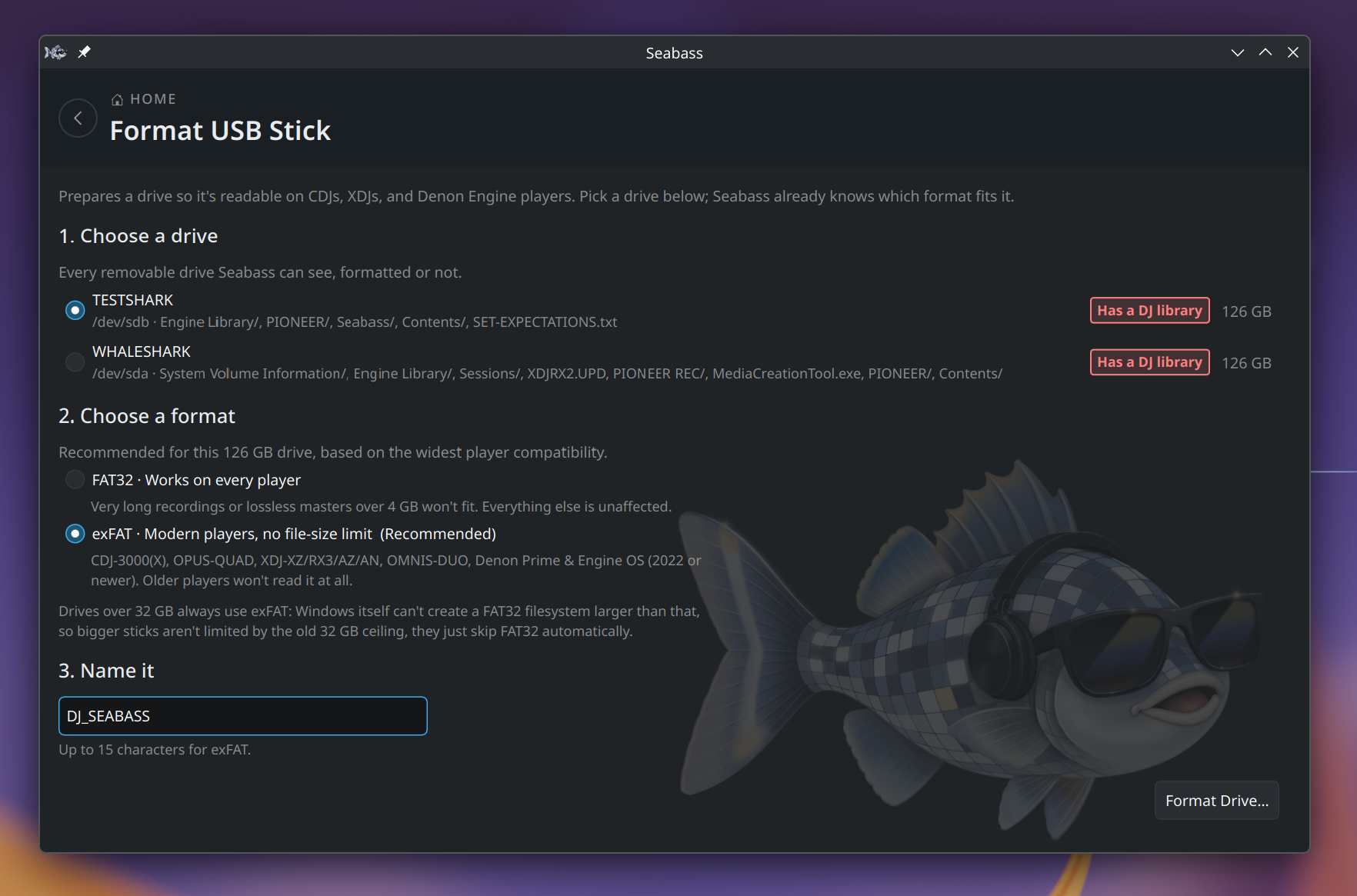
Formatting. Format USB Stick prepares a drive for CDJs, XDJs and Denon players and suggests the filesystem for its size: FAT32 works on every player but can't hold a file over 4 GB, exFAT has no such limit but older players can't read it. A drive that already holds a DJ library is marked as such before you pick it.
Performance and health checks
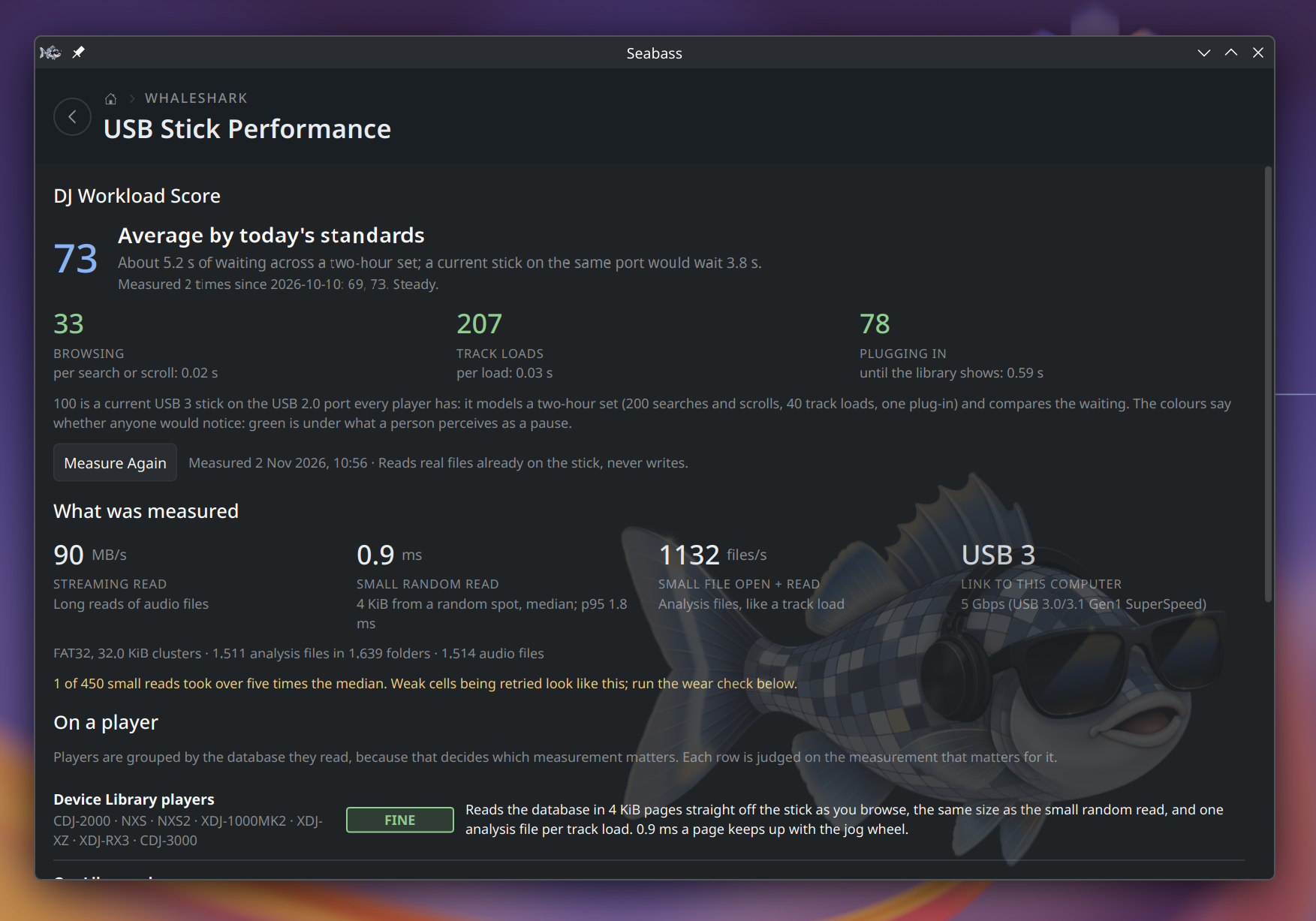
USB Stick Performance reads real files on the stick the three ways a player reads it: streaming a track, small random reads, and opening analysis files. That becomes a DJ Workload Score with a verdict per player generation, so you find out a stick is too slow for a CDJ-3000 at home rather than in front of a crowd. An optional write test and a wear check go with it, and results are kept so you can watch a stick get worse over time.
Library Health looks for rows whose audio file has gone missing. Where a healthy duplicate of the track exists, it offers to repair the row from it; where the remaining copies disagree on cues, it flags the conflict for you instead.
Score thresholds are provisional: they come from measurements of real sticks and real player behaviour, and get refined as more data comes in.

One library, three formats
Everything above rests on one idea: a stick prepped for both ecosystems carries up to three independent catalogs of the same tracks, and they are one library written several times. A write Seabass makes reaches every format that's present.
Keeping those libraries in step is why Seabass exists. With all of them saying the same thing, you can cross from one ecosystem to the other with confidence: prepare your set on Denon, play it on Pioneer (or the other way round), and the cues you set are there when you get to the booth. Simply sync cue points with Seabass when switching gears.
| Catalog | File | Read by |
|---|---|---|
| DeviceLibrary | export.pdb |
Rekordbox's classic per-stick export. What CDJs and XDJs read directly; every Rekordbox export has this. |
| OneLibrary | exportLibrary.db |
Rekordbox 7's newer unified export, also called "Device Library Plus." Not present on every export. |
| Engine OS | m.db |
Denon Engine DJ's own library, read by Denon/inMusic hardware (SC5000, Prime series, ...). |
OneLibrary is read in full and written as a best-effort mirror of the other two: cue writes and cleanup made through DeviceLibrary or Engine reach it as well. It isn't yet a catalog you can drive sync or cleanup from directly. See format notes.
What Seabass doesn't do
It never analyzes audio. Beatgridding, BPM and key detection and waveform analysis all happen in Rekordbox or Engine DJ first; Seabass reads and moves the results of that analysis, and never recomputes them.
It never phones home. No telemetry, no accounts, no network calls behind your back.